
Yelp AI Assistant
A conceptual AI assistant designed to help travelers discover restaurants and local spots without needing local knowledge or language fluency.
Role
UX Designer & Researcher — Led conceptual design, prototyping, and structured usability evaluation.
Scope
Conceptual redesign of Yelp interface featuring a simulated AI chat assistant for language and accessibility support.
Problem
Travelers arriving in a new city often struggle to find places to eat or visit. They may not understand neighborhoods, pricing norms, or speak the local language. Traditional Yelp filters assume too much local familiarity.
- Limited time to explore
- Trial-and-error searching wastes valuable travel time
- Language barriers make search frustrating
Concept Exploration
The Local Guide Model
This concept frames the interface as a trusted local guide. Users interact with the system as if consulting a knowledgeable food connoisseur who understands dietary restrictions, cultural preferences, and neighborhood context.
- Personalized recommendations based on taste and constraints
- Multi-language support
- Visual dish previews
- Layered follow-up questions for clarification
- Clear roles: tourist (seeker) and local contributor (guide)
The Culinary Companion Model
This concept reimagines the interface as a conversational foodie friend: approachable, informal, and insight-driven. Instead of authority, it emphasizes relatability and social trust.
- Conversational tone and casual interaction
- Local-insider insights
- Context-aware suggestions
- Social proof and crowd signals
- Emotionally engaging guidance
Design Direction
After evaluating both metaphors, we adopted a hybrid approach — combining the structure and trust of a local guide with the accessibility and tone of a culinary companion. This balance informed the final chat-based interaction model used in our prototype.
User Journey Mapping
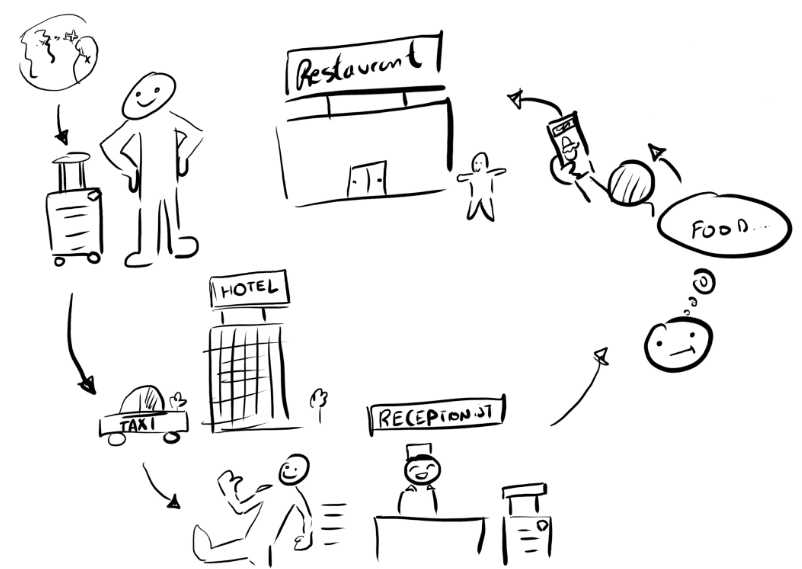
To better understand the traveler experience, we mapped the typical journey of a user arriving in a new city and attempting to find food using Yelp. This helped identify emotional pain points and contextual barriers.
- Arrival in an unfamiliar city
- Time pressure and hunger
- Uncertainty about neighborhoods and pricing
- Language friction during search
- Relief upon finding a trusted recommendation
The journey revealed that uncertainty and time sensitivity were the dominant stressors. This insight guided our focus toward conversational assistance, visible filters, and translation support to reduce friction early in the search process.
Solution
AI Chat Search
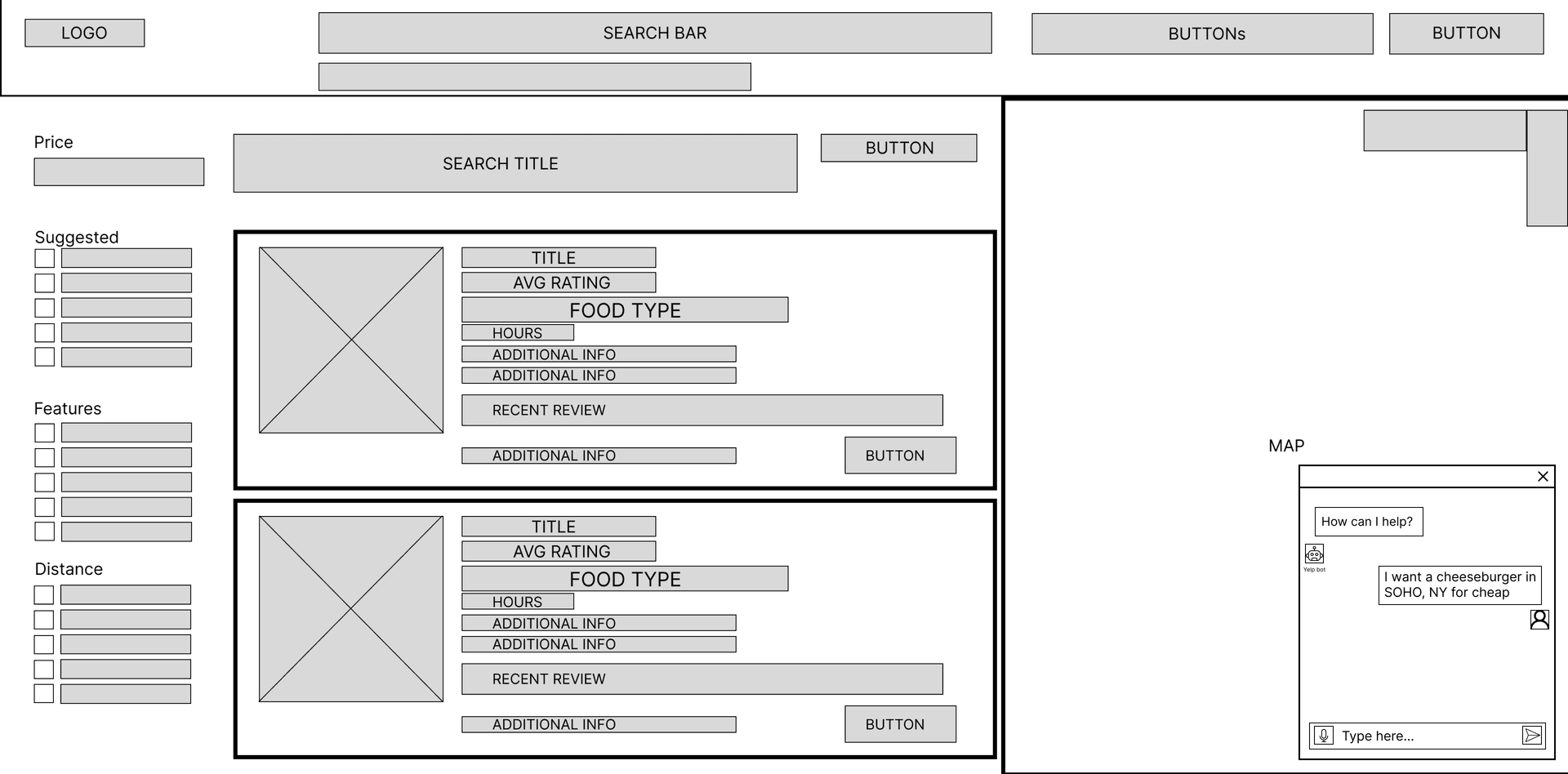
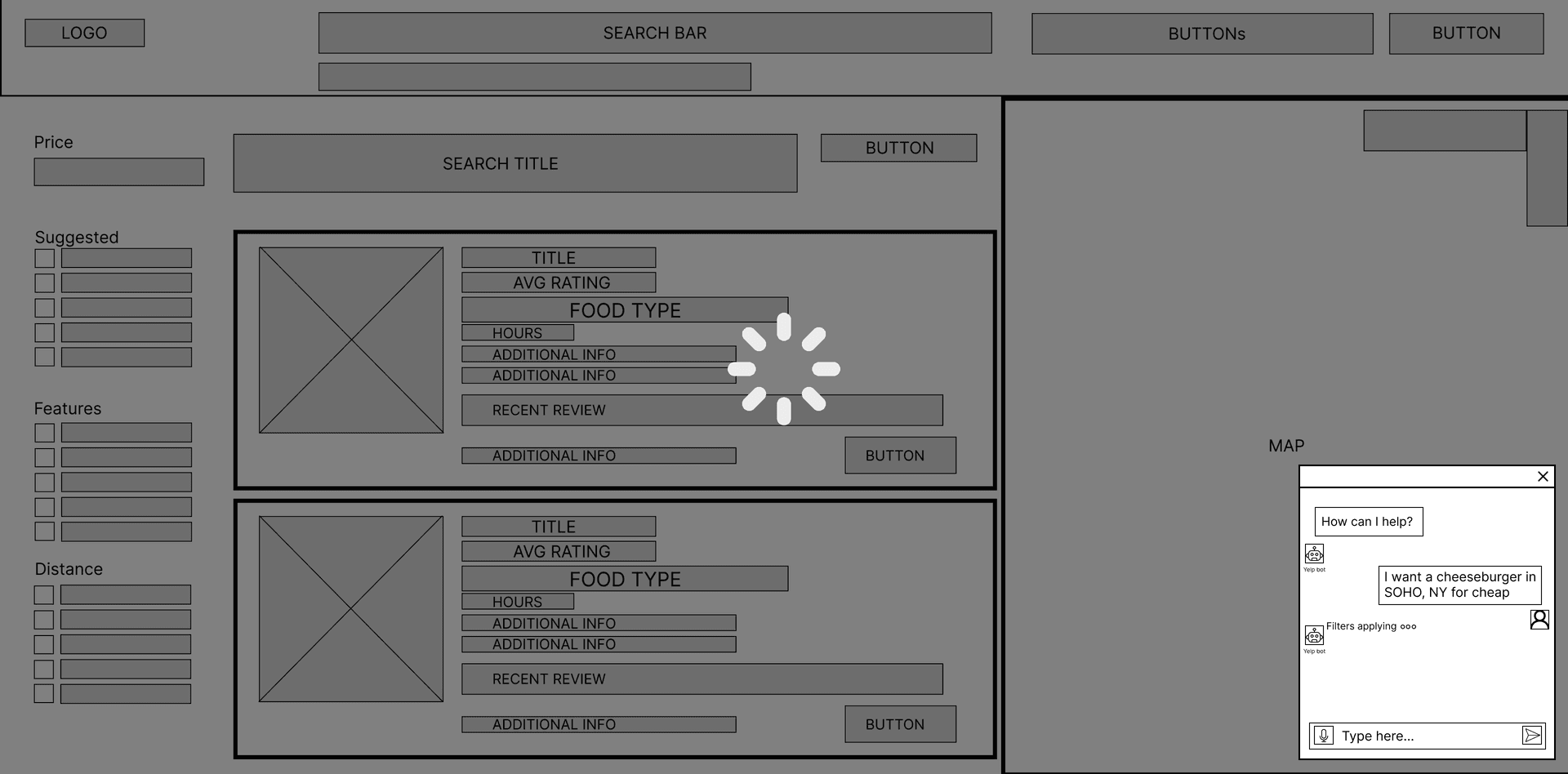
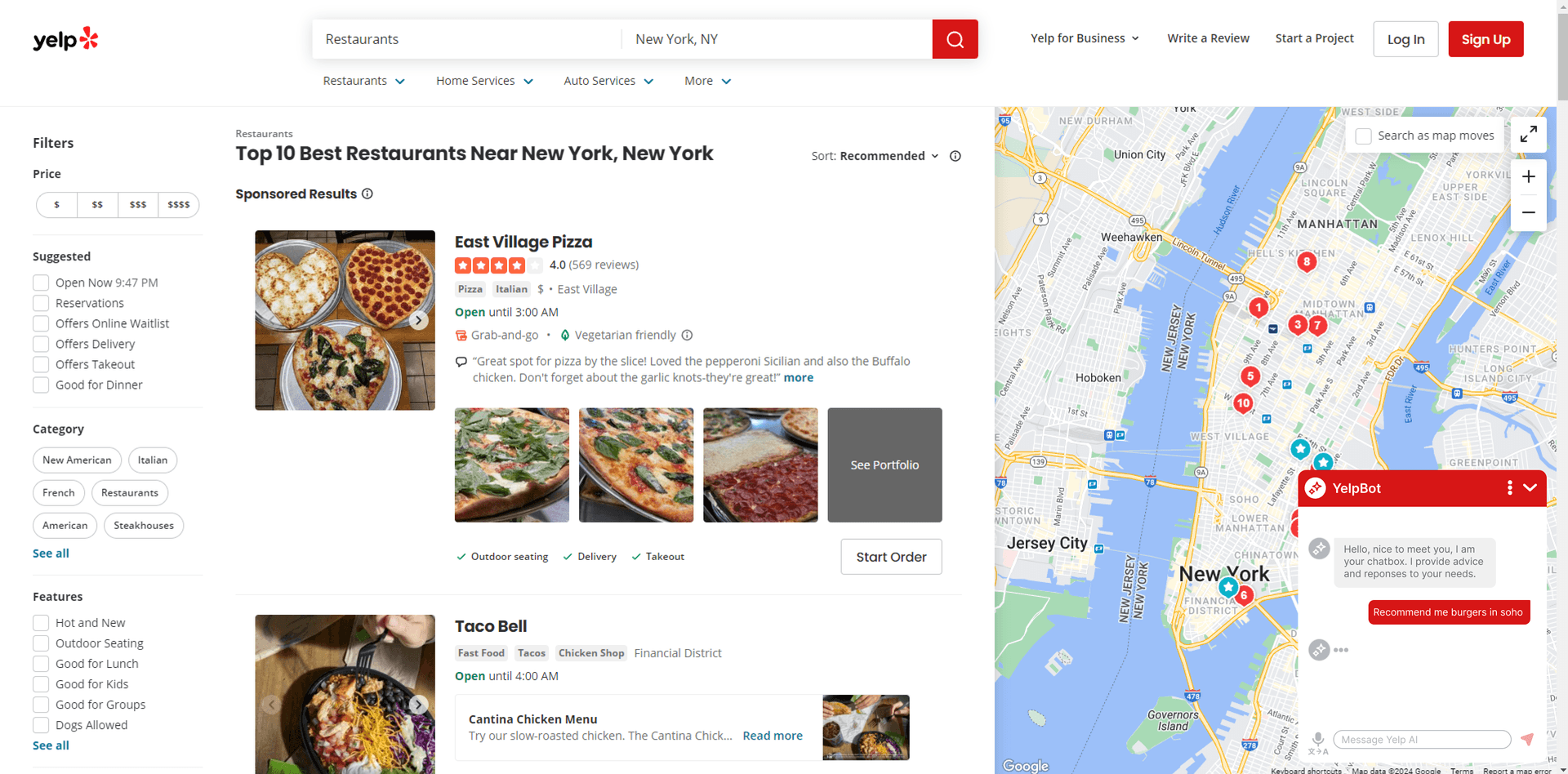
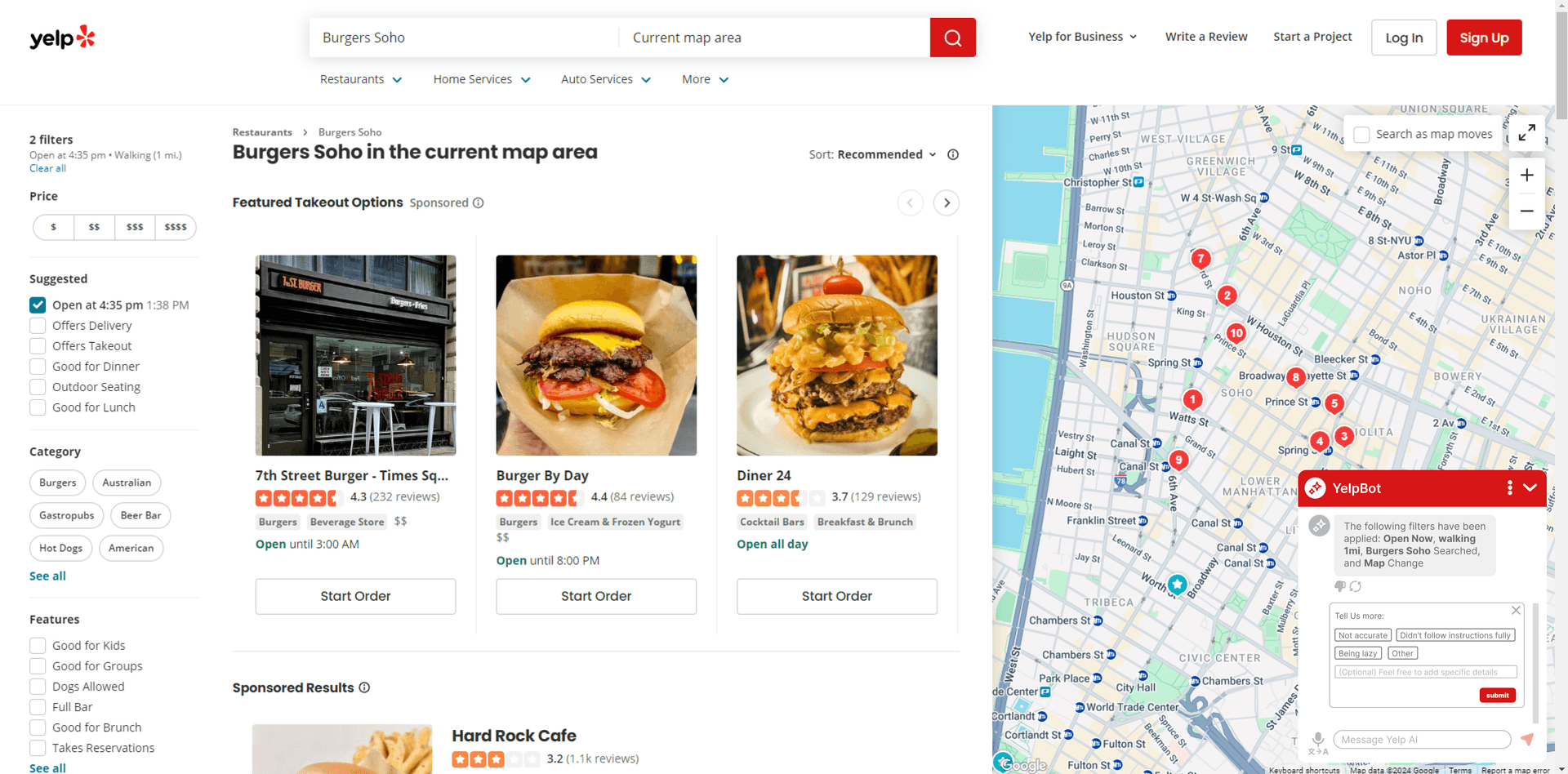
A chat-based search concept allowing users to describe intent in natural language, reducing reliance on traditional filter navigation.
Smart Filters
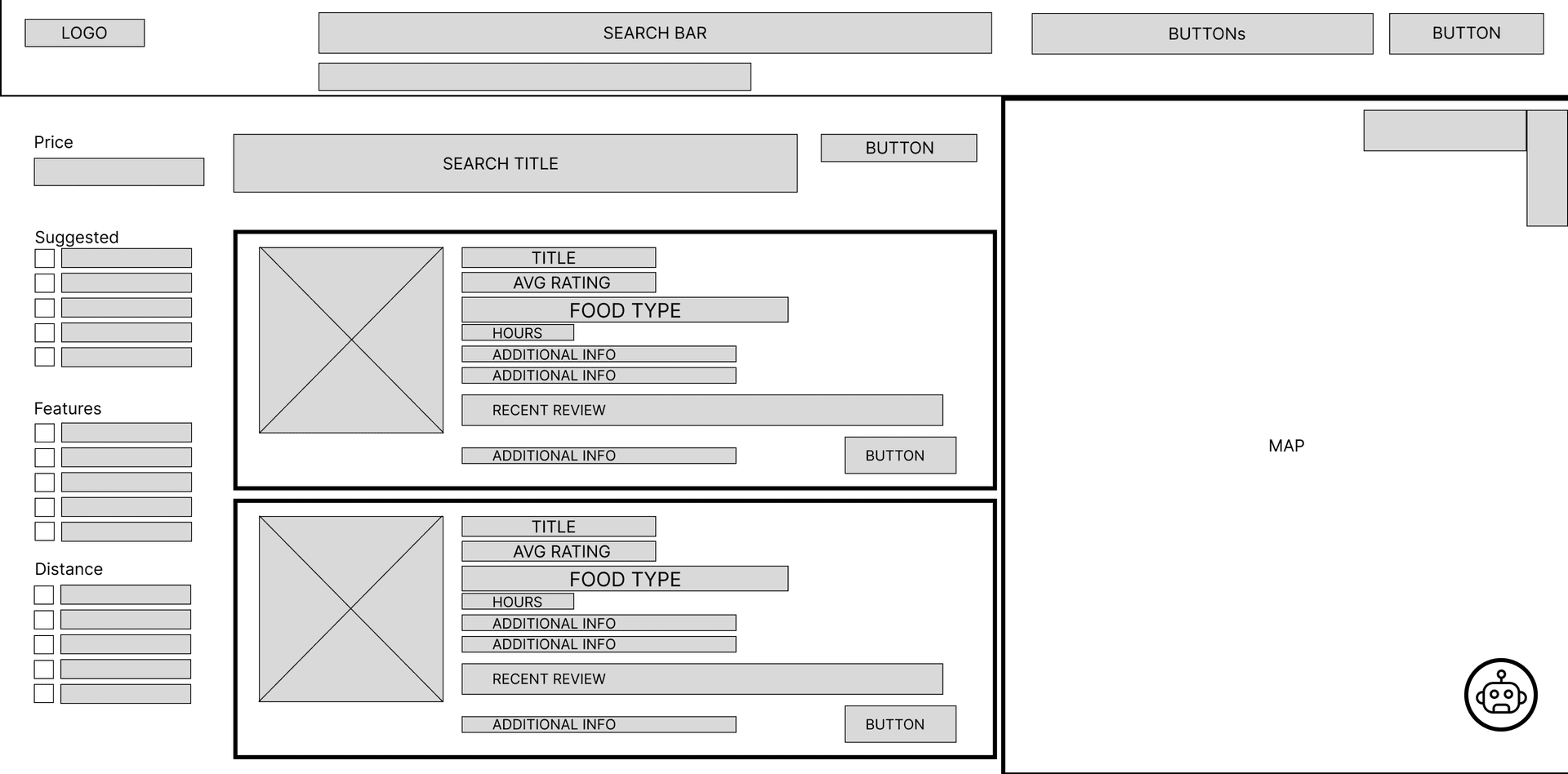
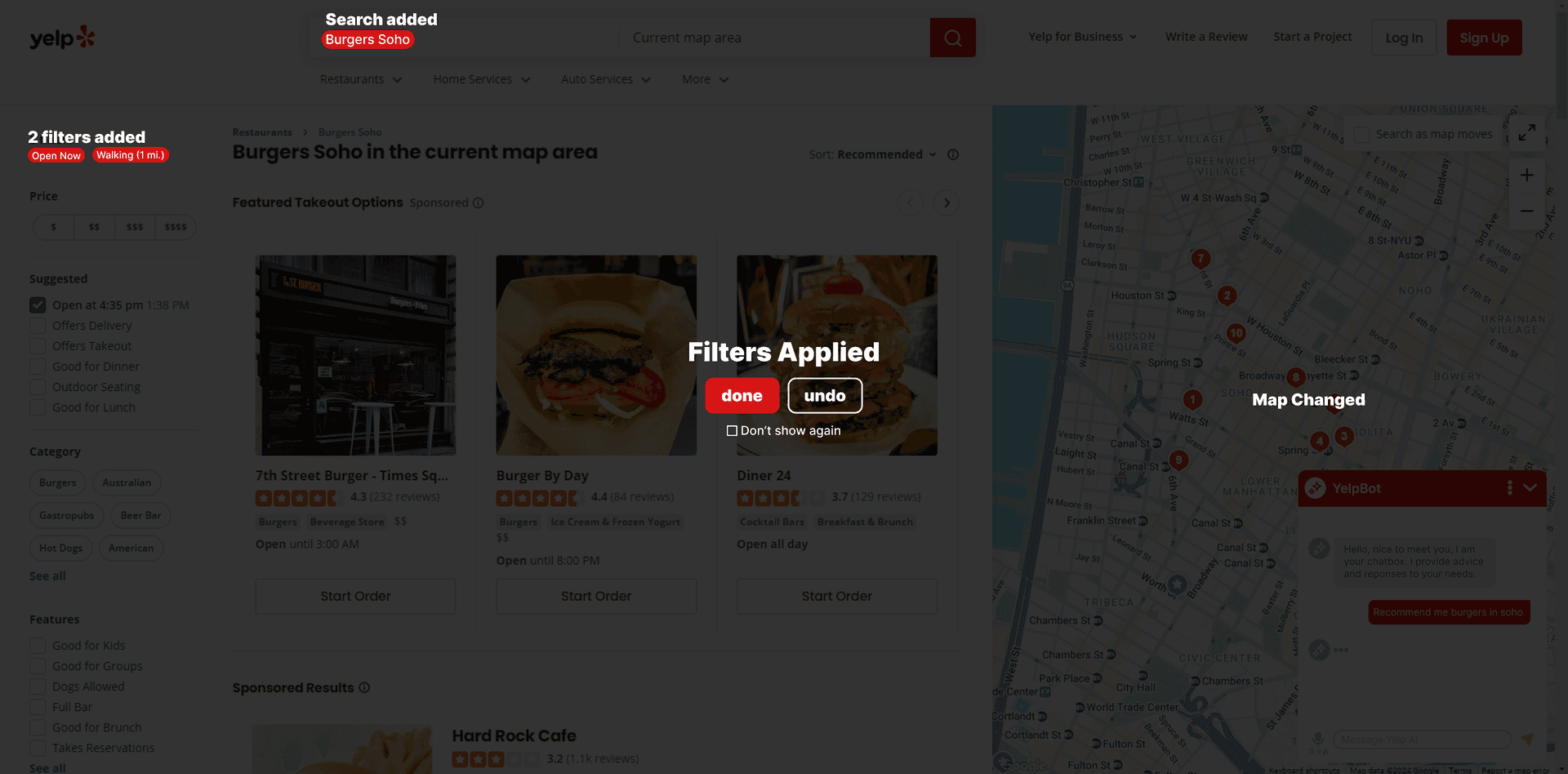
The prototype demonstrates how natural language input could be translated into visible Yelp filters, improving transparency and control.
Voice Translation
A simulated voice translation workflow designed to explore how language barriers could be reduced within the Yelp interface.
Map Sync
The prototype visualizes how applied filters could dynamically update map markers, reinforcing geographic context for unfamiliar users.
Design Evolution
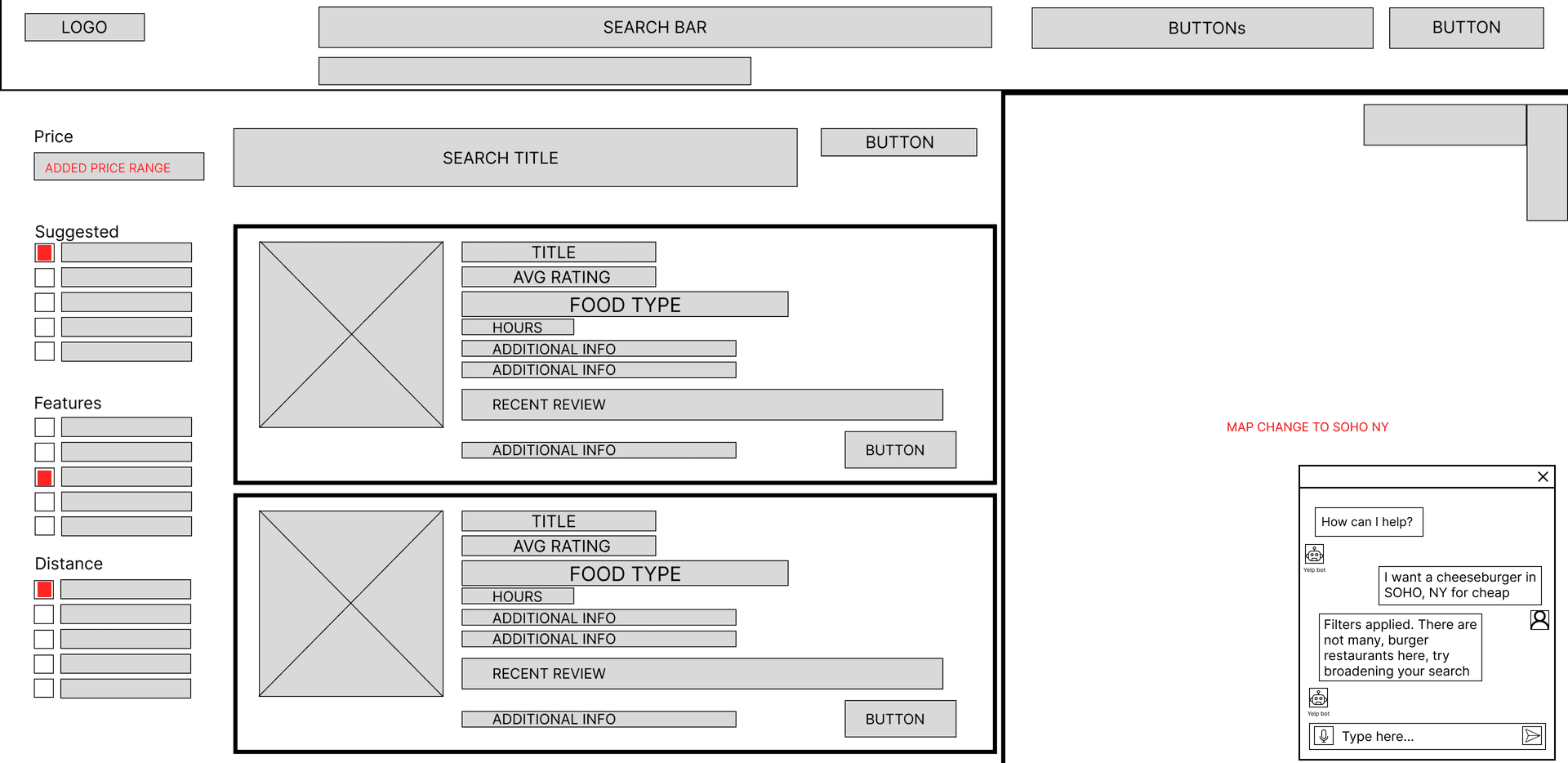
Low-Fidelity Exploration
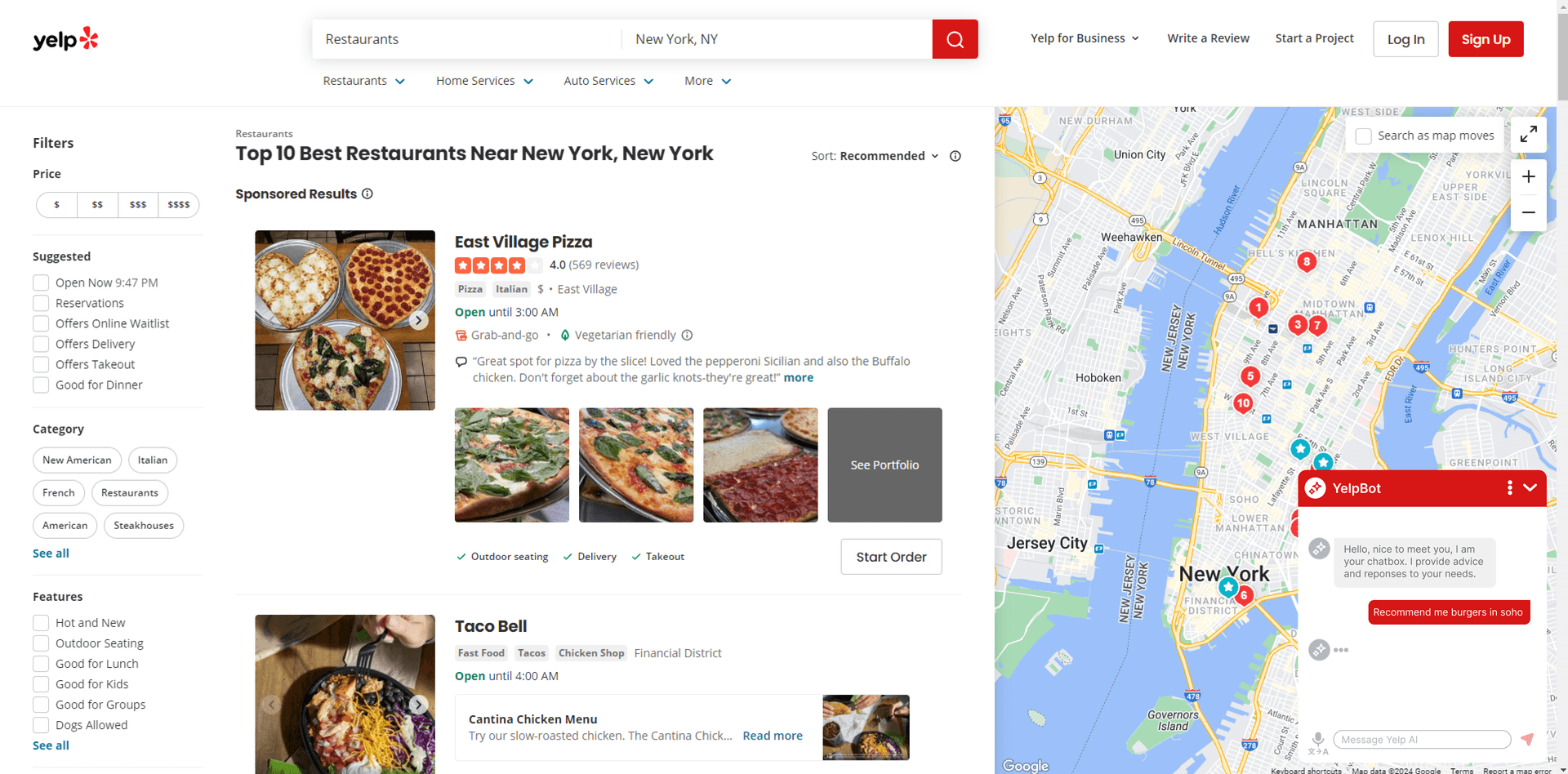
Medium-Fidelity Prototype
Methods
We conducted structured usability testing on a medium-fidelity Figma prototype simulating an AI-assisted Yelp experience. Five participants unfamiliar with Yelp and with limited Japanese proficiency completed task-based scenarios via Zoom.
- Tasks included using the chatbox, rating responses, and testing voice translation.
- Observers tracked errors, assistance, and task completion times.
- Post-session questionnaires measured subjective usability and satisfaction.
Key Findings
- Chat-based search showed strong efficiency (mean task time: 47.4s) and high satisfaction (5.6/6).
- Voice translation increased completion time (mean: 90.6s) but maintained positive usability ratings.
- Voice translation had longer completion times but still achieved moderate satisfaction.
- Outliers highlighted discoverability issues for first-time users.
- Map changes were not immediately clear, suggesting improved visual feedback.
Recommendations & Next Steps
- Use a conventional chat bubble icon for better discoverability.
- Add onboarding prompts for voice translation to improve clarity.
- Highlight map markers dynamically when searches are applied.
- Enhance prototyping realism in Figma for more accurate testing.
- Consider improved click logging to reduce bias.